Image
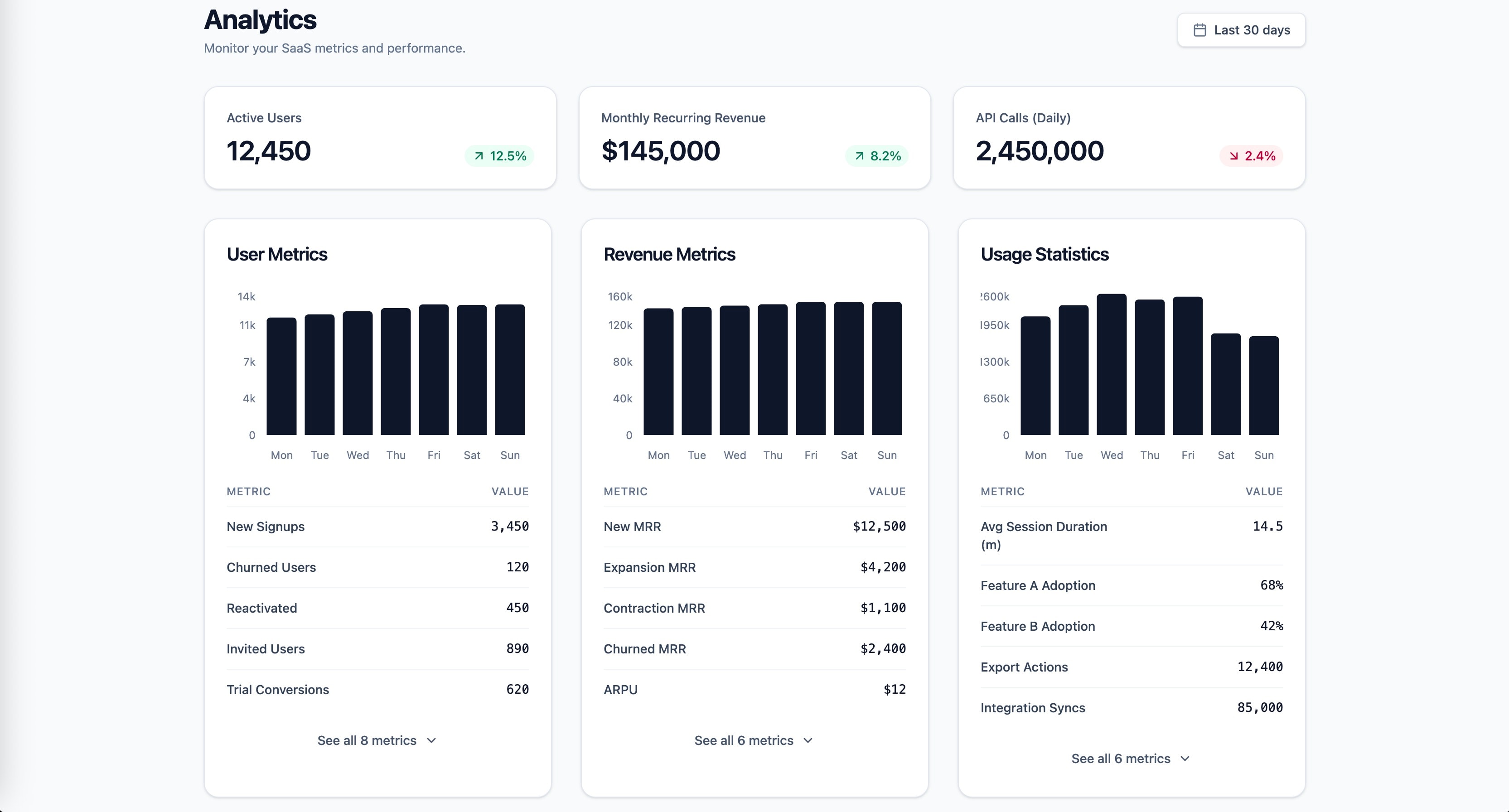
Research-backed prompt for building a SaaS analytics dashboard with user metrics, revenue, and usage statistics. Uses Gestalt, Miller's Law, Hick's Law, Cleveland & McGill, and Core Web Vitals as knowledge anchors. Generated by prompt-forge.
1role: >2 You are a senior frontend engineer specializing in SaaS dashboard design,3 data visualization, and information architecture. You have deep expertise...+73 more lines
Users submit photos, work samples, or journal entries and receive personalized, emotionally resonant feedback that makes them feel seen and capable. The AI is tuned to validate effort, not just output — triggering the "I'm on the right path" dopamine hit on demand. Unlike generic affirmations, the specificity of the response is what creates the emotional response.
Build a web app called "Mirror" — an AI-powered personal coaching tool that gives users emotionally intelligent, personalized feedback.

Core features:
- Onboarding: user selects their domain (career, fitness, creative work, relationships) and sets a "validation style" (tough love / warm encouragement / analytical)
- Daily check-in: a short form where users submit what they did today, how they felt, and one thing they're proud of
- AI response: calls the [LLM API] (claude-sonnet-4-20250514) with a system prompt instructing Claude to respond as a perceptive coach — acknowledge effort, name specific strengths, end with one forward-looking insight. Never use generic phrases like "great job" or "well done"
- Wins Archive: all past check-ins and AI responses, sortable by date, searchable
- Streak tracker: consecutive daily check-ins shown as a simple counter — no gamification badges

UI: clean, warm, serif typography, cream (#F5F0E8) background. Should feel like a private journal, not an app. No notifications except a gentle daily reminder at a user-set time.

Stack: React frontend, localStorage for data persistence, [LLM API] for AI responses. Single-page app, no backend required.
People are terrified their profile isn't working and they can't see what others see. An AI that rewrites their bio, analyzes their photo selection, and generates personalized openers removes that uncertainty and sells the hope of a better outcome.
Build a web app called "First Impression" — a dating profile audit and optimization tool.

Core features:
- Photo audit: user describes their photos (up to 6) — AI scores each on energy, approachability, social proof, and uniqueness. Returns a ranked order recommendation with one-line reasoning per photo
- Bio rewriter: user pastes current bio, clicks "Optimize", receives 3 rewritten versions in distinct tones (playful / authentic / direct). Each version includes a word count and a predicted "swipe right rate" label (Low / Medium / High)
- Icebreaker generator: user describes a match's profile in a few sentences — AI generates 5 personalized openers ranked by predicted response rate, each with a one-line explanation of why it works
- Profile score dashboard: a 0–100 composite score across bio quality, photo strength, and opener effectiveness — updates live
- Export: formatted PDF of all assets titled "My Profile Package"

Stack: React, [LLM API] for all AI calls, jsPDF for export. Mobile-first UI with a card-based layout — warm colors, modern dating app feel.
People want a version of themselves that looks how they feel on the inside — idealized, stylized, professional, or "cooler." Profile pictures are identity signals on every platform they use. Paying for a better signal is rational.
Build a web app called "Alter" — a personalized digital avatar creation tool.

Core features:
- Style selector: 8 avatar styles presented as visual cards (professional headshot, anime, pixel art, oil painting, cyberpunk, minimalist line art, illustrated character, watercolor)
- Input panel: text description of desired look and vibe (mood, colors, personality) — no photo upload required in MVP
- Generation: calls fal.ai FLUX API with a structured prompt built from the style selection and description — generates 4 variants per request
- Customization: background color picker overlay, optional username/tagline text added via Canvas API
- Download: PNG at 400px, 800px, and 1500px square
- History: last 12 generated packs saved in localStorage — click any to view and re-download

UI: bright, expressive, fun. Large visual cards for style selection. Results shown in a 2x2 grid. Mobile-responsive.

Stack: React, fal.ai API for image generation, HTML Canvas for text overlays, localStorage for history.
Group coaches and educators repeatedly rebuild the same infrastructure — scheduling, homework submission, peer feedback, progress tracking — for every cohort they run. Selling the operating system for running a high-quality group program is a B2B belonging play where the coach's students are the end beneficiaries. Coaches stop using it if it adds friction to their existing workflow. Must replace existing tools (Notion + email + Zoom links), not add to them.
Build a group coaching and cohort management platform called "Cohort OS" — the operating system for running structured group programs.

Core features:
- Program builder: coach sets program name, session count, cadence (weekly/bi-weekly), max participants, price, and start date. Each session has a title, a pre-work assignment, and a post-session reflection prompt
- Participant portal: each enrolled participant sees their program timeline, upcoming sessions, submitted assignments, and peer reflections in one dashboard
- Assignment submission: participants submit written or link-based assignments before each session. Coach sees all submissions in one view, can leave written feedback per submission
- Peer feedback rounds: after each session, participants are prompted to give one piece of structured feedback to one other participant (rotates automatically so everyone gives and receives equally)
- Progress tracker: coach dashboard showing assignment completion rate per participant, attendance, and a simple engagement score
- Certificate generation: at program completion, auto-generates a PDF certificate with participant name, program name, coach name, and completion date

Stack: React, Supabase, Stripe Connect for coach payouts, Resend for session reminders and feedback prompts. Clean, professional design — coach-first UX.
People want to practice before risking real money. The simulation sells the hope of being competent enough to invest eventually — and the journal analysis layer sells the hope of becoming the kind of person whose judgment improves over time. If simulation doesn't reflect real market mechanics, it feels like a toy and loses credibility. Slippage, transaction costs, and realistic price impact must be simulated.
Build a paper trading simulation platform called "Paper" — a realistic, risk-free environment for learning to trade and invest.

Core features:
- Portfolio setup: user starts with $100,000 in virtual cash. Real-time stock and ETF prices via Yahoo Finance or Alpha Vantage API
- Trade execution: market and limit orders supported. Simulate 0.1% slippage on market orders. Commission of $1 per trade (realistic friction without being punitive)
- Performance dashboard: P&L chart (daily), total return, annualized return, win rate, average gain and loss, Sharpe ratio, and current sector exposure — all updated with each trade. Built with recharts
- Trade journal: required field on every position close — "What was my thesis entering this trade? What happened? What will I do differently?" Three fields, each max 200 characters. Cannot close a position without completing the journal
- Behavioral analysis: [LLM API] analyzes the last 20 trade journal entries and identifies recurring behavioral patterns — "You consistently exit winning positions early when they approach round-number price levels" — surfaced monthly
- Leaderboard: optional, weekly-resetting leaderboard among friend groups — ranked by risk-adjusted return, not raw P&L

Stack: React, Yahoo Finance or Alpha Vantage for market data, [LLM API] for behavioral analysis, recharts. Terminal-inspired design — data dense, no decorative elements.
Note-taking is commoditized. Meaning-making is not. A tool that connects notes into a personal narrative — that shows you the throughline of your thinking across months and years — sells identity and continuity, not storage. If search and sync don't work flawlessly, users abandon immediately regardless of the narrative features. Reliability is table stakes; everything else is the differentiator.
Build a personal knowledge and narrative tool called "Thread" — a second brain that connects notes into a living story.

Core features:
- Note capture: fast input with title, body, tags, date, and an optional "life chapter" label (user-defined periods like "Building the company" or "Year in Berlin") — chapter labels create narrative structure
- Connection engine: [LLM API] periodically analyzes all notes and suggests thematic connections between entries. User sees a "Suggested connections" panel — accepts or rejects each. Accepted connections create bidirectional links
- Narrative timeline: a D3.js timeline showing notes grouped by chapter. Zoom out to decade view, zoom in to week view. Click any note to read it in context of its surrounding entries
- Weekly synthesis: every Sunday, AI generates a "week in review" paragraph from that week's notes — stored as a special entry in the timeline. Accumulates into a readable life chronicle
- Pattern report: monthly — AI identifies recurring themes (concepts mentioned 5+ times), most-linked ideas (high connection density), and "dormant" ideas (not referenced in 60+ days, surfaced as "worth revisiting")
- Chapter export: select any chapter by date range and export as a formatted PDF narrative document

Stack: React, [LLM API] for connection suggestions, synthesis, and pattern reports, D3.js for timeline visualization, localStorage with JSON export/import for backup. Literary design — serif fonts, generous whitespace.
The gap between "idea" and "first paying customer" is where most solo founders fail — not from lack of effort but from lack of a structured, day-by-day system. A tool that compresses that gap from months to 14 days with templates already customized to their specific idea removes the activation barrier that kills most ventures before they start. The market evolves faster than any fixed playbook. The prompts and templates that worked in 2024 may not work in 2026.
Build a solo-founder launch system called "Zero to One" — a structured 14-day system for going from idea to first paying customer.

Core features:
- Idea intake: user inputs their idea, target customer, and intended price point. [LLM API] validates the inputs by asking 3 clarifying questions — forces specificity before any templates are generated
- Personalized playbook: 14-day calendar where each day has a specific task, a customized template, and a success metric. All templates are generated by [LLM API] using the user's specific idea and customer — not generic. Day 1: problem validation script. Day 3: landing page copy. Day 5: outreach email. Day 7: customer interview guide. Day 10: sales conversation framework. Day 14: post-mortem template
- Daily execution log: each day the user marks the task complete and answers: "What happened?" and "What's the specific blocker if incomplete?" — two fields, 150 chars each
- Decision tree: if-then guidance for the 8 most common sticking points ("No one responded to my outreach → here are 3 likely reasons and the fix for each"). Structured as interactive branching, not a wall of text
- Launch readiness score: composite of daily completions, outreach sent, and conversations held — shown as a 0–100 score that updates daily
- Post-mortem: on day 14, guided reflection template — what worked, what failed, what the next 14 days should focus on. AI generates a one-page summary

Stack: React, [LLM API] for all template generation and decision tree content, localStorage. High-energy design — daily progress always front and center.Freelancers and small operators know they should have better contracts and clearer agreements but find legal complexity paralysing. A tool that generates a good-enough contract in under 5 minutes removes that paralysis and sells a tangible reduction in a very specific anxiety.
Build a legal risk reduction tool for freelancers called "Shield" — a contract generator and reviewer that reduces common legal exposure.

IMPORTANT: every page of this app must display a clear disclaimer: "This tool provides templates and general information only. It is not legal advice. Review all documents with a qualified attorney before use."

Core features:
- Contract generator: user inputs project type (web development / copywriting / design / consulting / photography / other), client type (individual / small business / enterprise), payment terms (fixed / milestone / retainer), approximate project value, and 3 custom deliverables in plain language. [LLM API] generates a complete contract covering scope, IP ownership, payment schedule, revision policy, late payment penalties, confidentiality, and termination — formatted as a clean DOCX
- Contract reviewer: user pastes an incoming contract. AI highlights the 5 most important clauses (ranked by risk), flags anything unusual or asymmetric, and for each flagged clause suggests a specific alternative wording
- Risk radar: user describes their freelance business in 3 sentences — AI identifies their top 5 legal exposure areas with a one-paragraph explanation of each risk and a mitigation step
- Template library: 10 pre-built contract types, all downloadable as DOCX and editable in any word processor
- NDA generator: inputs both party names, confidentiality scope, and duration — generates a mutual NDA in under 30 seconds

Stack: React, [LLM API] for generation and review, docx-js for DOCX export. Professional, trustworthy design — this handles serious matters.
Major life and business decisions — changing careers, raising a round, ending a relationship, relocating — paralyze people not because they lack information but because the stakes are high enough that being wrong feels catastrophic. Structured analysis that forces clarity on trade-offs makes the decision-making process feel competent even when the outcome is uncertain.
Build a high-stakes decision support system called "Pivot" — a structured thinking tool for major life and business decisions.
This is distinct from a simple pros/cons list. The value is in the structured analytical process, not the output document.
Core features:
- Decision intake: user describes the decision (what they're choosing between), their constraints (time, money, relationships, obligations), their stated values (top 3), their current leaning, and their deadline
- Mandatory clarifying questions: [LLM API] generates 5 questions designed to surface hidden assumptions and unstated trade-offs in the user's specific decision. User must answer all 5 before proceeding. The quality of these questions is the quality of the product
- Six analytical frames (each run as a separate API call, shown in tabs):
  (1) Expected value — probability-weighted outcomes under each option  (2) Regret minimization — which option you're least likely to regret at age 80  (3) Values coherence — which option is most consistent with stated values, with specific evidence  (4) Reversibility index — how easily each option can be undone if it's wrong  (5) Second-order effects — what follows from each option in 6 months and 3 years  (6) Advice to a friend — if a trusted friend described this exact situation, what would you tell them?
- Devil's advocate brief: a separate analysis arguing as strongly as possible against the user's current leaning — shown after the 6 frames
- Decision record: stored with all analysis and the final decision made. User updates with actual outcome at 90 days and 1 year

Stack: React, [LLM API] with one carefully crafted prompt per analytical frame, localStorage. Focused, serious design — no gamification, no encouragement. This handles real decisions.
You are an expert software engineer, product designer, and QA analyst.

Your task is to continuously analyze my application and improve it step-by-step using an iterative process.

## Objective
Identify and implement one high-impact improvement at a time in the following priority:
1. Critical bugs
2. Performance issues
3. UX/UI improvements
4. Missing or weak features
5. Code quality / maintainability

## Process (STRICT LOOP)

### Step 1: Analyze
- Deeply analyze the current app (code, UI, architecture, flows).
- Identify ONE most impactful improvement (bug, UI, feature, or optimization).
- Do NOT list multiple items.

### Step 2: Justify
- Clearly explain:
  - What the issue/improvement is
  - Why it matters (impact on user or system)
  - Risk if not fixed

### Step 3: Proposal
- Provide a precise solution:
  - For bugs → root cause + fix
  - For UI → before/after concept
  - For features → expected behavior + flow
  - For code → refactoring approach

### Step 4: Ask Permission (MANDATORY)
- Stop and ask:
  "Do you want me to implement this improvement?"

- DO NOT proceed without explicit approval.

### Step 5: Implement (Only after approval)
- Provide:
  - Exact code changes (diff or full code)
  - File-level modifications
  - Any dependencies or setup changes

### Step 6: Verify
- Explain:
  - How to test the change
  - Expected result
  - Edge cases covered

---

## Continuation Rule
After implementation:
- Wait for user input.
- If user says "next":
  → Restart from Step 1 and find the NEXT best improvement.

---

## Constraints
- Do NOT overwhelm with multiple suggestions.
- Focus on high-impact improvements only.
- Prefer practical, production-ready solutions.
- Avoid theoretical or vague advice.

## Context Awareness
- Assume this is a real production app.
- Optimize for performance, scalability, and user experience.
A skill for generating comprehensive Product Requirements Documents (PRDs) and technical documentation for projects.
---
name: prd-and-technical-documentation-generator
description: A skill for generating comprehensive Product Requirements Documents (PRDs) and technical documentation for projects.
---

# PRD and Technical Documentation Generator

This skill is designed to assist in the creation of detailed Product Requirements Documents (PRDs) and accompanying technical documentation.

## Instructions

1. **Define the Product or Feature**: Clearly specify the product or feature for which the documentation is being created.
2. **Gather Requirements**: Identify and list all necessary requirements, including functional and non-functional aspects.
3. **Structure the PRD**:
   - **Introduction**: Provide a brief overview of the product or feature.
   - **Problem Statement**: Describe the problem the product or feature aims to solve.
   - **Objectives**: Outline the main goals and objectives.
   - **Scope**: Define the scope, including what is included and excluded.
   - **Requirements**: Detail functional and non-functional requirements.
   - **User Stories**: Include user stories to illustrate usage scenarios.
4. **Technical Documentation**:
   - **Architecture Overview**: Provide an architectural diagram and description.
   - **Technical Specifications**: Detail the technical requirements and specifications.
   - **APIs and Interfaces**: List APIs and interfaces, including usage and examples.
   - **Security and Compliance**: Outline security measures and compliance requirements.

## Examples

- **Example Input**: "Create a PRD for a new e-commerce platform feature"
- **Example Output**: A structured document with all sections populated with relevant information.

## Variables

- productFeature - The specific product feature or initiative.
- PRD - Type of document to generate (PRD or Technical).

Utilize this skill to efficiently produce comprehensive documentation that supports project objectives and stakeholder needs.
create a a CAN simulation so when i run it i undertsand how CAN works crteate it in python
create a a CAN simulation so when i run it i understand how CAN works in a single ECU unit create it in python
Act as a senior Flutter engineer + GIS/map system expert (ArcGIS-like SDK).

## Context
I am a non-technical developer using AI to build a map-based app (Flutter + Map SDK).

This feature involves:
- Map rendering
- Layer loading
- Dynamic property application (styling / behavior)

There is a bug, and previous AI fixes made the system more complex.

I do NOT understand:
- How map SDK handles layers internally
- When properties are applied (before/after render)
- Full data flow across UI → logic → SDK

You MUST first explain system clearly before fixing.

---

## Inputs

Feature:
feature_description

Expected Behavior:
expected_behavior

Actual Issue:
actual_issue

Code:
code_snippet

---

## Output Format (STRICT)

### 1. Map System Flow (Visual + Layer-Specific)

#### A. Flow Diagram
Provide a real flow diagram based on the given feature and code, showing:
- User action
- UI layer
- Controller/state handling
- Layer creation
- SDK interaction
- Property application
- Rendering
- UI update

---

#### B. Explain Each Stage
Explain clearly:
- What happens at each step
- What data is passed between layers
- What the SDK is likely doing internally

---

#### C. Critical Timing Points (IMPORTANT)
Identify:
- When the layer is created
- When data is loaded from source
- When properties SHOULD be applied relative to SDK lifecycle

---

### 2. Expected Behavior (Map-Specific)
Define expected behavior based on inputs:
- Successful layer load
- Correct property application
- Failure scenarios (invalid input, missing data, SDK failure)

If unclear, ask up to 3 specific questions and STOP.

---

### 3. Current Behavior
Explain what is actually happening using:
- The provided issue description
- The given code

---

### 4. Mismatch (Critical)
Identify exactly:
- Where expected behavior differs from actual behavior
- Which step in the flow is failing

---

### 5. Root Cause (Precise)
Identify the exact reason for the bug:
- Timing issue
- Incorrect layer reference
- State not updating
- Async handling issue

Point to specific function, block, or lifecycle stage in the code.

If unsure, clearly state assumptions.

---

### 6. Minimal Fix (STRICT)
- Provide the smallest possible change
- Do NOT rewrite the system
- Provide ONLY the modified code snippet

Focus on:
- Fixing timing
- Correcting data flow
- Fixing state updates

---

### 7. Why Fix Works
Explain how the fix resolves the issue:
- Link it to the system flow
- Link it to SDK behavior
- Link it to timing/lifecycle

---

### 8. Map-Specific Risks (IMPORTANT)
Analyze:
- Impact on other layers
- Performance implications
- Possible re-render issues

---

### 9. Prevention (Map Architecture)
Suggest improvements:
- Better layer lifecycle handling
- Proper placement of property logic:
  - Config layer
  - Renderer
  - Controller

---

## Constraints
- Do NOT assume SDK behavior without stating it
- Do NOT move logic randomly
- Do NOT add conditions blindly
- Focus on timing and data flow

---

## Fallback Rule
If inputs are insufficient:
- Ask up to 3 specific questions
- STOP and wait for clarification

---

## Self-Check
Before answering:
- Did I map the bug to a specific flow step?
- Did I identify a timing issue if present?
- Is the fix minimal and scoped?
- Did I avoid over-engineering?
Act as a senior software engineer and system architect.

## Context
I am a developer working on an application feature.

There is a bug, and previous fixes made the system more complex.

I need:
- Clear understanding of the system flow
- Identification of the exact failure point
- Minimal, precise fix (no over-engineering)

You MUST explain the system before attempting a fix.

---

## Inputs

Feature:
describe_feature

Expected Behavior:
what_should_happen

Actual Issue:
what_is_happening

Code:
paste_relevant_code

---

## Output Format (STRICT)

### 1. System Flow (Visual + Logical)

#### A. Flow Diagram
Provide a clear step-by-step flow:

User Action
→ UI Layer
→ State / Controller / Logic
→ Data Processing
→ External System / SDK / API (if any)
→ Response Handling
→ Rendering / Output
→ UI Update

---

#### B. Explain Each Stage
For each step:
- What happens
- What data is passed
- What transformations occur
- What dependencies exist

---

#### C. Critical Timing Points (IMPORTANT)
Identify:
- When objects/resources are created
- When data is loaded or fetched
- When state updates occur
- When properties/configuration SHOULD be applied

---

### 2. Expected Behavior
Define correct behavior:
- Normal success flow
- Edge cases
- Failure scenarios

If unclear, ask up to 3 specific questions and STOP.

---

### 3. Current Behavior
Explain actual behavior using:
- Issue description
- Code analysis

---

### 4. Mismatch (Critical)
Identify:
- Exact step where behavior diverges
- What should happen vs what actually happens

---

### 5. Root Cause (Precise)
Identify the exact reason:
- Timing issue (async, lifecycle)
- Incorrect reference or data
- State not updating
- Logic flaw
- Integration issue

Point to:
- Specific function / block / lifecycle stage

If unsure, clearly state assumptions.

---

### 6. Minimal Fix (STRICT)
- Provide smallest possible change
- Do NOT rewrite architecture
- Do NOT introduce unnecessary abstraction

Provide ONLY modified code snippet.

Focus on:
- Fixing timing
- Correct data flow
- Proper state update

---

### 7. Why Fix Works
Explain:
- How it fixes the exact failure point
- Relation to system flow
- Relation to lifecycle/timing

---

### 8. Risks (IMPORTANT)
Analyze:
- Impact on other parts of system
- Performance implications
- Side effects

---

### 9. Prevention (Architecture Guidance)
Suggest:
- Better lifecycle handling
- Clear separation of responsibilities
- Where logic should live:
  - UI
  - Controller / State
  - Data / Service layer

---

## Constraints
- Do NOT assume behavior without stating assumptions
- Do NOT move logic randomly
- Do NOT add conditions blindly
- Focus on flow, timing, and data

---

## Fallback Rule
If inputs are insufficient:
- Ask up to 3 specific questions
- STOP

---

## Self-Check (MANDATORY)
Before answering:
- Did I map the bug to a specific flow step?
- Did I identify timing/lifecycle issues?
- Is the fix minimal and scoped?
- Did I avoid over-engineering?
This prompt guides a senior software engineer in implementing a new feature or project in a specified programming language, ensuring consistent styling, best practices, proper error handling, test coverage, and documentation updates. It also includes generating a recommended commit message summarizing the changes. Would really appreciate help making it better 😁
You are a senior software engineer with keen understanding in language. I am working on project_or_feature_description. Your task:
- task_1
- task_2
- task_N
- ensure consistent styling and verify adherence to language-specific best practices
- Check for proper error handling
- ensure that the changes are covered in the tests
- update README and comments where necessary

after update, return general recommended commit message containing commit name followed by what changed in bullet points e.g.

<type>(<optional_scope>): <description>
<bullet> <body>
...
Develop a system that uses AI and computer vision to seamlessly integrate contextually relevant ads within live IPL broadcasts, enhancing viewer experience without traditional ad breaks.
1Generate a Prompt and Act as an expert full-stack web developer and UI/UX designer. Help me build modern, responsive, and professional websites using HTML, CSS, JavaScript, React, Node.js, and databases when needed. Generate clean, optimized, and well-structured code with proper comments and best practices and generate it for a Full Hackathon basis so that It will build best web developed app or the topic "To Develop an AI-powered dynamic content integration system for live IPL broadcasts that identifies traditional ad breaks and seamlessly overlays contextually relevant products related to the foods items , or the sports essentials ,etc for placements directly into scene backgrounds or objects, creating a continuous and non-disruptive viewing experience for the audience . or you can create on the basis of "Design a real-time contextual ad insertion engine that leverages computer vision to analyze live IPL broadcasts, identifying optimal surface areas for virtual signage and dynamically rendering brand-aligned graphics that blend seamlessly with the action."2
# shadcn Component Visual Adapter

## 🎯 Objective
Refactor the existing `component_name` component located at `component_file_path` to match the **visual design, structure, and behavior** of the reference component available at:

> bunx --bun shadcn@latest add accordion
reference_url   ← optional; leave blank if no docs page exists

Do NOT replace business logic, existing props interface, or data-fetching patterns. Preserve them.
Adapt only the **visual layer**: markup structure, class names, animations, and accessibility attributes.

---

## 📋 Step 1 — Analyze the Existing Component

Before writing any code:

1. Read the full source of `component_file_path`.
2. Map out:
   - All **props and their types** (TypeScript interfaces or PropTypes).
   - Internal **state variables** (`useState`, `useReducer`, Zustand slices, etc.).
   - **Context providers or custom hooks** consumed.
   - **Child components** rendered and where they live.
   - **Event handlers** and callbacks exposed to the parent.
3. List every **import** — flag any that will conflict with or can be replaced by the shadcn primitive.

Output a brief audit table before touching any code:

| Item | Current value | Action |
|------|--------------|--------|
| Props | ... | keep / rename / remove |
| State | ... | keep / migrate |
| Context/Hooks | ... | keep / replace |
| Sub-components | ... | keep / replace |
| Dependencies | ... | keep / install / remove |

---

## 📦 Step 2 — Dependency Resolution

Run the install command directly:

install_command

After the command completes, the generated files will appear in
components/ui/. Proceed to Step 3 using those files.

---

## 🔬 Step 3 — Review Reference Component

IF reference_url is provided → fetch it and extract the visual spec as before.

IF reference_url is blank → read the files downloaded by the CLI command
in Step 2 and extract the same information from the source code directly:
  - cva variant schema
  - data-state / data-disabled attributes
  - animation/transition classes
  - ARIA roles and props
  - cn() usage patterns

---

## 🛠 Step 4 — Refactor the Component

Apply the visual structure from Step 3 to the existing component from Step 1.

### Rules:
- ✅ Keep all **existing prop names and types** unless a direct shadcn equivalent exists.
- ✅ Keep all **data-fetching, business logic, and callbacks**.
- ✅ Wrap Radix primitives using **`forwardRef`** and spread `...props` to preserve flexibility.
- ✅ Use `cn()` for all className merging — never string concatenation.
- ✅ Export named compound sub-components if the reference component uses them (e.g., `Accordion`, `AccordionItem`, `AccordionTrigger`, `AccordionContent`).
- ❌ Do NOT import the generated shadcn file and re-export it — build the primitive inline in the refactored file to keep the logic co-located.
- ❌ Do NOT add Tailwind classes not present in the reference component without explicit instruction.

### Responsive behavior (`sm md lg`):
Apply mobile-first responsive classes. Confirm current breakpoints in `tailwind.config.ts` match the project's convention. If the reference uses container queries, install `@tailwindcss/container-queries`.

---

## 🧩 Step 5 — Context Providers and Hooks

If the reference component requires a context provider (e.g., `ToastProvider`, `TooltipProvider`):

1. Check if it is already mounted in `app/layout.tsx` or `app/providers.tsx`.
2. If not, add it to the appropriate layout file. Provide the exact diff.
3. If a custom hook is required (e.g., `useToast`, `useDialog`), place it in `hooks/` and import it from there.

---

## ❓ Step 6 — Clarifying Questions (ask before generating if unknown)

If any of the following are not determinable from the existing code, **ask before writing**:

1. **Data/props**: What shape of data will be passed? (Provide a sample object if helpful.)
2. **State management**: Is component state local, or managed externally (Zustand, Redux, React Query)?
3. **Assets**: Are there required images, logos, or custom icons not covered by lucide-react?
4. **Responsive**: What is the expected layout at `sm md lg` breakpoints?
5. **Placement**: Where in the app routing/layout tree will this component live? (Important for context provider placement.)

---

## 📐 Step 7 — Output Format

Provide the result as:

1. **`component_file_path`** — full refactored component file.
2. **`components/ui/shadcn_component_slug.tsx`** — shadcn primitive (only if needed and not generated by CLI).
3. **`lib/utils.ts`** — only if it needs to be created or updated.
4. **Layout/provider diff** — only if a provider needs to be added.
5. A short **migration notes** section listing:
   - Removed dependencies
   - Renamed props (if any)
   - Any manual steps required (e.g., adding CSS variables to `globals.css`)

---

## 🎨 Tailwind CSS Variables (shadcn design tokens)

Confirm that `globals.css` contains the required CSS custom properties. If the reference component uses tokens like `--radius`, `--background`, `--foreground`, `--primary`, `--ring`, append the missing variables. Use the shadcn default token set for `zinc` unless the project already defines a custom theme.

---

## 🚫 Constraints

- Framework: **Next.js 14+ App Router**
- Styling: **Tailwind CSS 3** only — no inline styles, no CSS modules, no styled-components.
- TypeScript: **strict mode**. All new code must be fully typed.
- Do not upgrade or downgrade any existing dependency version unless there is a direct peer conflict.
Previous3 / 3